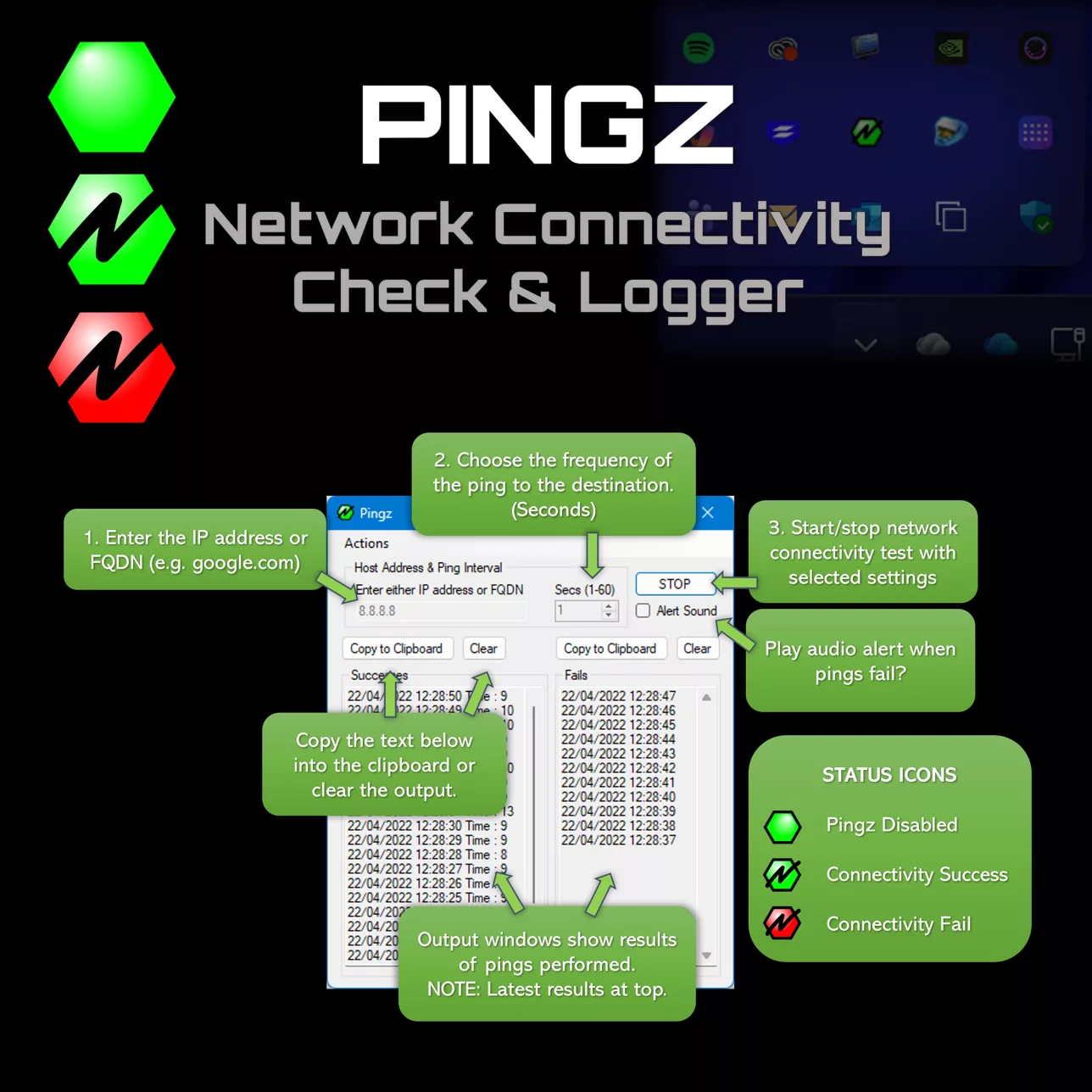
Pingz – Network connectivity testing & logging
Ever needed to diagnose a network connectivity problem for a user, needing to identify when they lose network connectivity locally?
Of course you could use the ping command from the CLI, but it lacks a user friendly UI. Pingz gives you this. You just need something simple. No external websites or services. Quick & easy for end users.
Simple, Effective
Sometime you just need something simple to do one job
User Friendly Interface
No command line required. Simple, intuitive UI that anyone can use without technical expertise
Built in logging
Logs success and failures , giving you a complete history of network connectivity.
System Tray Integration
Minimizes with system tray status icons to keep users informed without cluttering the desktop.
CustomiSable
Choose what to ping and set your preferred frequency.
Multiple instances
Run as many instances as you need to monitor multiple hosts or connections simultaneously.
Lightweight
Less than 1MB in size. Quick to download and run. Portable app. No need to ‘install’
Pingz, easier to diagnose network problems
Buy Pingz Today
Make network diagnostics just that little bit easier
GBP
Prices above include any applicable sales taxes for your location. eg VAT
60-day money-back guarantee, no questions asked